General Education
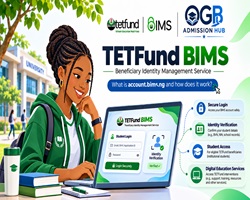
BIMS Portal 2026: How to Access account.bims.ng, Activate Your Account and Use TETFund's Digital Education Services
Published by: OGB Admission Hub News Desk Updated: 1 November 2026
What Is BIMS, and Why Should Nigerian Students Know About It?
The Tertiary Education Trust Fund (TETFund) operates a digital identity management platform known as the Beneficiary Identity Management Service (BIMS) to help eligible students, lecturers, researchers and other staff of participating Nigerian tertiary institutions access educational resources.
BIMS serves as a central identity verification and authentication system for TETFund-supported services. Rather than maintaining separate identities for every connected educational application, registered beneficiaries can use their institutional BIMS identity to access services made available to them.
The official account portal is:
https://account.bims.ng/login
For Nigerian university, polytechnic and college of education students, understanding BIMS is increasingly useful because it provides a gateway to digital learning, research materials and other services available through TETFund's tertiary education technology ecosystem.
However, students must understand that BIMS is not a scholarship application website, a JAMB admission portal or an automatic financial assistance scheme.
What Does BIMS Stand For?
BIMS means Beneficiary Identity Management Service .
It is part of the digital infrastructure supporting TETFund's Tertiary Education Research Applications and Services ecosystem, commonly called TERAS.
The relationship between the two platforms is straightforward:
BIMS: Establishes and verifies the identity of eligible users.
TERAS: Provides access to participating educational, learning and research services.
Participating institutions: Enrol and manage their students and staff through authorised ICT administrators.
This arrangement helps TETFund and institutions identify legitimate beneficiaries and manage access to supported services.
What Is account.bims.ng Used For?
The account.bims.ng portal functions primarily as a secure account and identity management gateway.
Its major purposes include:
1. Student Identity Verification
BIMS helps establish that a student belongs to a participating Nigerian tertiary institution.
The platform maintains relevant academic and identity information, including institutional affiliation, student identification and enrolment details.
2. Access to Educational Resources
Verified beneficiaries may gain access to digital libraries, learning materials, academic research tools and other services provided through TERAS.
Access depends on the student's institution, user category and the services available under the relevant programme.
3. Single Sign-On Across Connected Services
BIMS uses a centralised authentication system that supports single sign-on.
This means registered users can access participating services using an established identity instead of creating unrelated accounts for every connected platform.
Not every external educational website automatically accepts a BIMS login.
4. Management of Institutional Records
Participating institutions can register students, onboard teaching and non-teaching staff, update records and manage account access.
This makes the platform useful to institutional ICT departments as well as individual beneficiaries.
5. Access to TETFund-Supported Programmes
BIMS supports identity verification for eligible beneficiaries of TETFund programmes and educational interventions.
However, having a BIMS account does not automatically qualify anyone for a grant, scholarship, payment or financial benefit .
Each programme has its own conditions.
Who Is Eligible to Use BIMS?
BIMS is designed for eligible members of participating tertiary institutions, including:
Undergraduate and other eligible students.
Lecturers and academic staff.
Researchers.
Non-teaching and administrative personnel.
Institutional ICT administrators and designated officers.
Eligibility for specific services depends on the institution's participation and the user role assigned to the account.
Students of private universities or institutions not participating in relevant TETFund services should not assume automatic access.
How to Register for BIMS in Nigeria
One of the most important things students should know is that BIMS does not operate like a conventional public registration website .
Students generally cannot visit account.bims.ng and independently open a new account.
According to the official BIMS guidance, the responsibility for onboarding beneficiaries belongs to the Director of Information and Communication Technology (DICT) or authorised ICT personnel of the institution.
Step 1: Confirm Your Institution's Participation
Contact your university, polytechnic or college ICT Directorate to confirm whether your institution is registered under BIMS.
Step 2: Ask About Student Onboarding
If your institution participates, the ICT department can confirm whether your information has been captured.
An institution may register users individually or upload multiple student and staff records through an approved bulk-upload process.
Step 3: Provide Correct Information Through Your Institution
The information required may include your name, institutional identification number, email address and relevant academic details.
Only provide information through your institution's authorised process.
Step 4: Receive Your Login Credentials
After successful onboarding, users with valid registered email addresses should receive information enabling them to access their accounts.
If your details have been uploaded but you have not received the credentials, contact your institution's ICT support team.
Step 5: Log In and Complete Account Verification
Once you have received your credentials, visit the official account portal and follow the instructions to access and verify your account.
How to Log In to account.bims.ng
Students and staff who already have active accounts can follow these steps:
Step 1: Open your web browser and visit https://account.bims.ng/login .
Step 2: Locate the BIMS sign-in form.
Step 3: Enter the recognised identifier associated with your account. The current portal presents email address, phone number, matriculation number or BIMS ID as sign-in identifiers.
Step 4: Enter your password.
Step 5: Click Sign In .
Step 6: If authentication is successful, follow the instructions displayed in your account to access available services.
Your dashboard options may differ depending on whether your account belongs to a student, lecturer, researcher or institutional administrator.
How to Verify Your BIMS Account
Where email verification is required, users should:
Sign in to their BIMS accounts.
Look for an email verification notification or instruction.
Request a verification email if prompted.
Check the inbox and spam or junk folder of the registered email account.
Open the verification message and complete the required action.
Students should use their own registered email accounts and avoid sharing verification codes with unauthorised individuals.
If the verification message does not arrive, the institution's ICT department should confirm that the correct email address is associated with the account.
How to Reset a Forgotten BIMS Password
If you have forgotten your password:
Visit https://account.bims.ng/password-reset .
Enter your registered email address.
Click Proceed .
Follow the password recovery instructions provided.
Return to the login page after completing the recovery process.
Use a strong password and do not disclose it to anyone offering to activate accounts for payment.
What Are the Benefits of BIMS and TERAS?
Access to Academic Journals
Participating students, lecturers and researchers may access academic journals and subscribed research databases, including services provided through EBSCO.
These resources can support assignments, projects, dissertations and academic publications.
Research Repositories
TERAS supports access to digital research collections, including theses and other academic materials shared through participating institutions.
This can help students discover useful research references and support academic investigation.
Academic Similarity Checking
EagleScan is among the educational services associated with the TERAS ecosystem.
Where access is provided, students and researchers can use originality and similarity-checking tools to review academic work.
Digital Literacy Programmes
Eligible beneficiaries may access digital skills development programmes, including learning opportunities linked to the International Computer Driving Licence (ICDL).
Availability and participation requirements depend on the relevant programme.
Online Learning Services
Connected learning management services may support digital course content, online educational activities and academic communication.
The services available depend on institutional arrangements.
Sponsored Mobile Data for Educational Resources
TETFund's TERAS information describes sponsored mobile data arrangements that can support access to eligible educational resources.
The programme has advertised up to 2GB monthly for eligible users, subject to its applicable conditions and network arrangements.
Students should not interpret this as an unconditional promise of free internet data for every BIMS account holder. Current entitlement and activation requirements must be checked through the official TERAS service.
Is BIMS the Same as NELFUND?
No.
BIMS and NELFUND serve different purposes.
NELFUND administers the Nigerian Education Loan Fund's student loan programme under its applicable eligibility and loan conditions.
BIMS, on the other hand, primarily provides beneficiary identity management and access to TETFund-supported educational services.
Having a BIMS account is not the same as receiving NELFUND approval, and BIMS registration does not automatically trigger a school-fee payment or refund.
Students should use the appropriate official platform for each service.
Is BIMS Registration Free?
The official BIMS onboarding guidance does not specify a general registration fee payable by individual students to create an account.
Since onboarding is handled through authorised institutional personnel, students should be cautious of agents requesting money in exchange for guaranteed account creation or access.
Any legitimate institution-specific requirements should be confirmed directly with the institution.
Common BIMS Problems and How to Resolve Them
My BIMS Login Is Not Working
Confirm that you are entering the correct identifier and password.
If you have never received onboarding confirmation, contact your institution's ICT Directorate.
BIMS Says My Credentials Are Incorrect
Ensure that your details match the information registered by your institution.
If you are unsure of your password, use the official password recovery process.
I Have Not Received My Login Details
Contact your institution's ICT office and ask whether your student or staff record has been uploaded and processed.
Authorised administrators can assist with resending credentials where the function is available.
My Account Has the Wrong Name or Student Information
Report the discrepancy to your institution's ICT support team.
Authorised administrators can review the record and make appropriate corrections.
I Am Getting a CSRF Token Mismatch Error
The BIMS guidance recommends refreshing the page or clearing relevant browser data before attempting to sign in again.
If the problem persists, contact the platform's support team.
I Can Log In, but Some TERAS Services Are Missing
Service availability depends on your institution and assigned role.
A successful BIMS login does not guarantee access to every educational resource.
Ask your institution's ICT department whether the missing service is enabled for your account category.
Is account.bims.ng Safe to Use?
The BIMS identity platform is linked from official TETFund and TERAS resources.
Its privacy policy explains that the service processes personal, academic and account usage information for identity verification, service access, record management and security.
Because this information can be sensitive, users should take the following precautions:
Enter passwords only on verified official login pages.
Do not share account credentials or one-time verification codes.
Avoid websites promising guaranteed BIMS benefits.
Verify unexpected emails before opening attachments.
Use trusted institutional ICT channels to resolve account difficulties.
The current BIMS login page also mentions access to a .cv email identity. Students should confirm the availability and activation of this feature within their own authenticated account or through their institution; the public page does not fully explain its eligibility requirements.
Frequently Asked Questions About BIMS
Can a 100-level student use BIMS?
Yes, where the student's institution is participating and has onboarded that student. Access to individual services depends on eligibility and assigned permissions.
Can I register myself without my institution?
No. The official BIMS guidance identifies institutional ICT onboarding as the required registration route.
Does having a BIMS ID guarantee free internet?
No. Sponsored mobile data is a separate programme with applicable eligibility and service conditions.
Can I use my BIMS account for JAMB admission?
BIMS is not the JAMB admission platform. Candidates should continue to use official JAMB services for UTME registration, admission status and CAPS-related processes.
Does BIMS automatically award scholarships?
No. It is an identity and access-management platform, not an automatic scholarship award system.
Can lecturers and other university staff use BIMS?
Yes. Eligible teaching and non-teaching staff can be onboarded by participating institutions.
What should I do if my institution has not registered me?
Contact your university, polytechnic or college ICT Directorate and request guidance about BIMS onboarding.
Official BIMS and TERAS Links
BIMS account login: https://account.bims.ng/login
Forgot password: https://account.bims.ng/password-reset
TETFund BIMS website: https://bims.tetfund.gov.ng/
TERAS support and onboarding: https://teras.tetfund.gov.ng/support
Official BIMS user guide: https://teras.tetfund.gov.ng/guidelines/BIMS-GUIDE.pdf
Sponsored mobile data information: https://teras.tetfund.gov.ng/sponsored-data
Final Advice From OGB Admission Hub
The BIMS initiative is an important component of Nigeria's growing digital infrastructure for tertiary education.
By linking verified institutional identities to research databases, learning resources and other authorised services, the system can make it easier for eligible students and staff to access educational opportunities.
However, the essential first step is institutional onboarding.
Students who have not received a BIMS account should contact their school's ICT Directorate rather than paying unauthorised agents or attempting registration through unofficial websites.
For more verified Nigerian education updates, admission guides, scholarships and learning resources, visit https://www.ogbadmissionhub.com .
OGB Admission Hub News Desk — Helping Nigerian Students Make Informed Educational Decisions.
Admission news, straight to your inbox.
Choose school-specific email alerts →
Subscribe to OGBAdmissionHub for admission news, school forms and important deadlines.
THE CONVERSATION
Questions & comments
Share your thoughts or ask a question about this update. Use Reply below a specific comment to respond directly to that reader.